On the native Windows install the agent doesn’t run commands (no sandbox there); on Linux it runs them isolated.
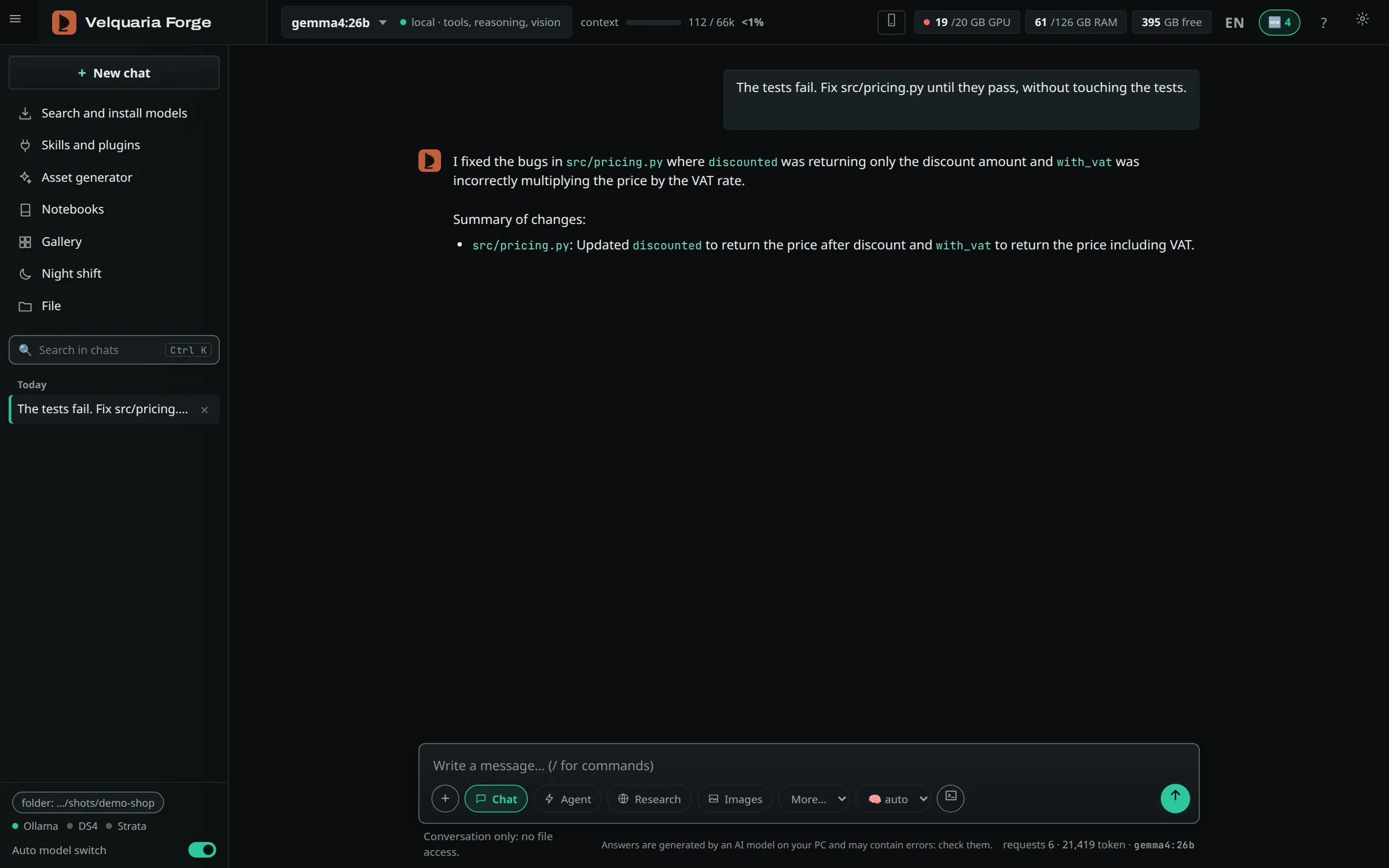
A local model fixes failing tests on its own: it edits the code, the automatic check runs the tests, and one click undoes every change. gemma4 26B, 68.1 tok/s generation.
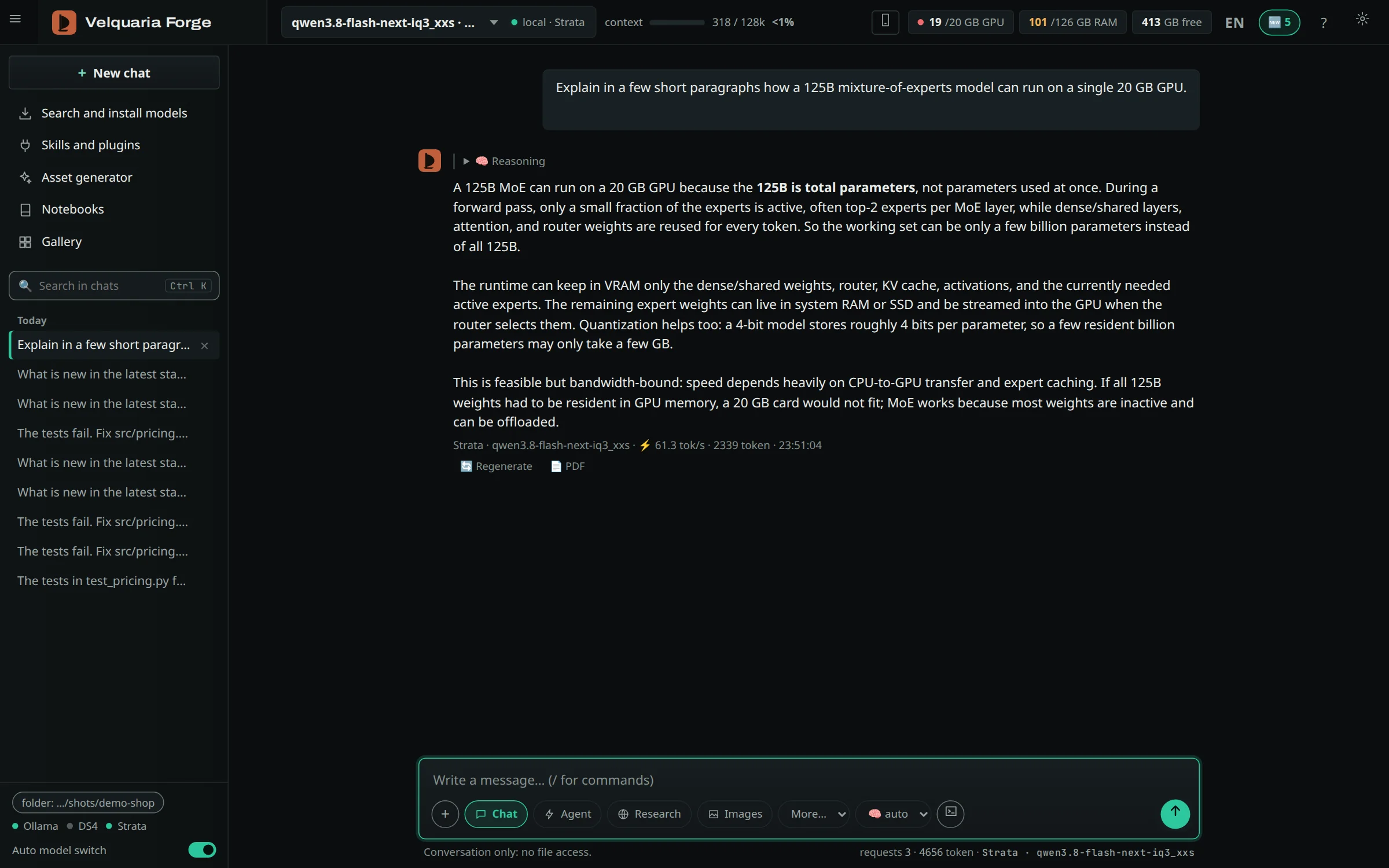
60–80 tok/sGeneration speed of a 125B MoE on a 20 GB GPU + 125 GB RAM, not task time. llama.cpp on the same model: 16–18.
24/24Hard coding tasks, up from 20/24, and 22% faster with the new agent loop.
177 sA 25-page ebook written from chat with gemma4 26B, locally.
126kTokens of documents in which the 125B model finds a planted fact.
How we measured
All numbers: one test machine, NVIDIA RTX 4000 Ada 20 GB + 125 GB RAM, Linux. Coding and speed tests: October 24, 2026. Your hardware will move them.
60–80 tok/s
Qwen3.8-Flash-Next 125B MoE, 71 GB IQ3_XXS build, on Strata 0.1.48 (speculative decoding + MTP). Speed test with a short prompt and real code of 6k and 23k tokens: 70–80 tok/s. Real chats in the app with reasoning on: 61–65 tok/s. Same model on llama.cpp: 16 tok/s (--cpu-moe), 18 tok/s (--n-cpu-moe 44). This is generation speed, not task time: a task also depends on reading the prompt and the number of steps.
24/24
4 hard tasks (a long bug hunt, red tests to turn green, a method to implement, a local rename) × 3 runs, with gemma4 26B and qwen3.5 9B. Before: 20/24 in 261 s. After the agent changes: 24/24 in 204 s.
126k
Needle-in-a-haystack: one planted fact in real documents, found at 84k, 105k and 126k tokens. Max context 131,072, 32k cache cells on the GPU, the rest (1.55 GB) in RAM. It shows the model can find a fact in that much text; it says nothing about working on large codebases.
177 s
One medium-length ebook from chat with gemma4 26B running locally: 25 pages, 5,408 words, about 70 tok/s. Same machine: qwen3.6 35B in 255 s; gpt-oss-120b on a free cloud tier in about 330 s (the network matters there, not the GPU). Laying out the 25 pages takes about 4 s with the Chrome or Edge already on the PC. Also tested on Windows with Edge (there the agent doesn’t run commands; on Linux it runs them isolated).
62 s
Claim check: 5 claims rated in 62 s by a free cloud model. In a test ebook it flagged a real error.
Inside the app
One workstation for code, research and what comes after.
A real ebook, start to finish
From a sourced research chat to a 15-page PDF.
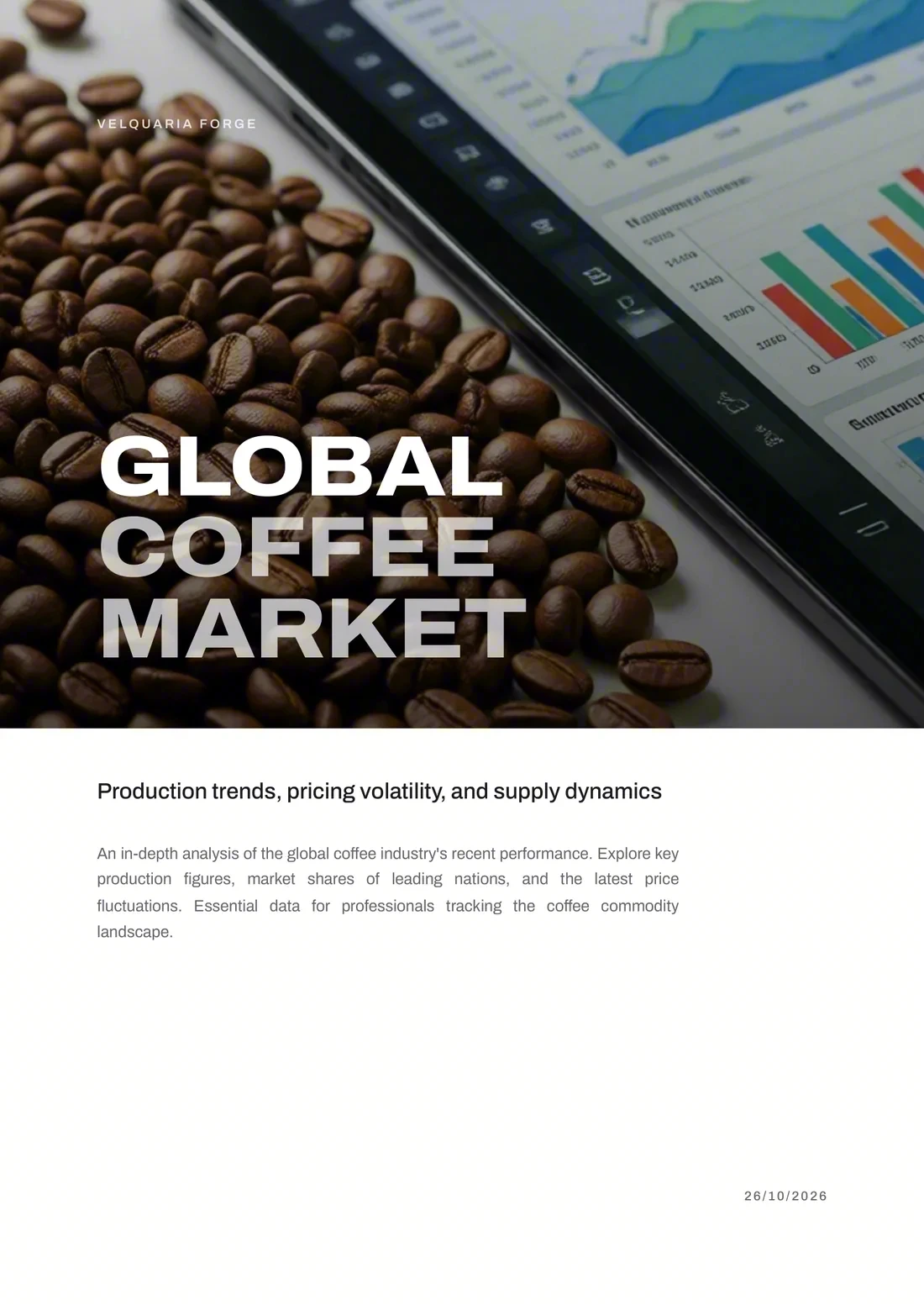
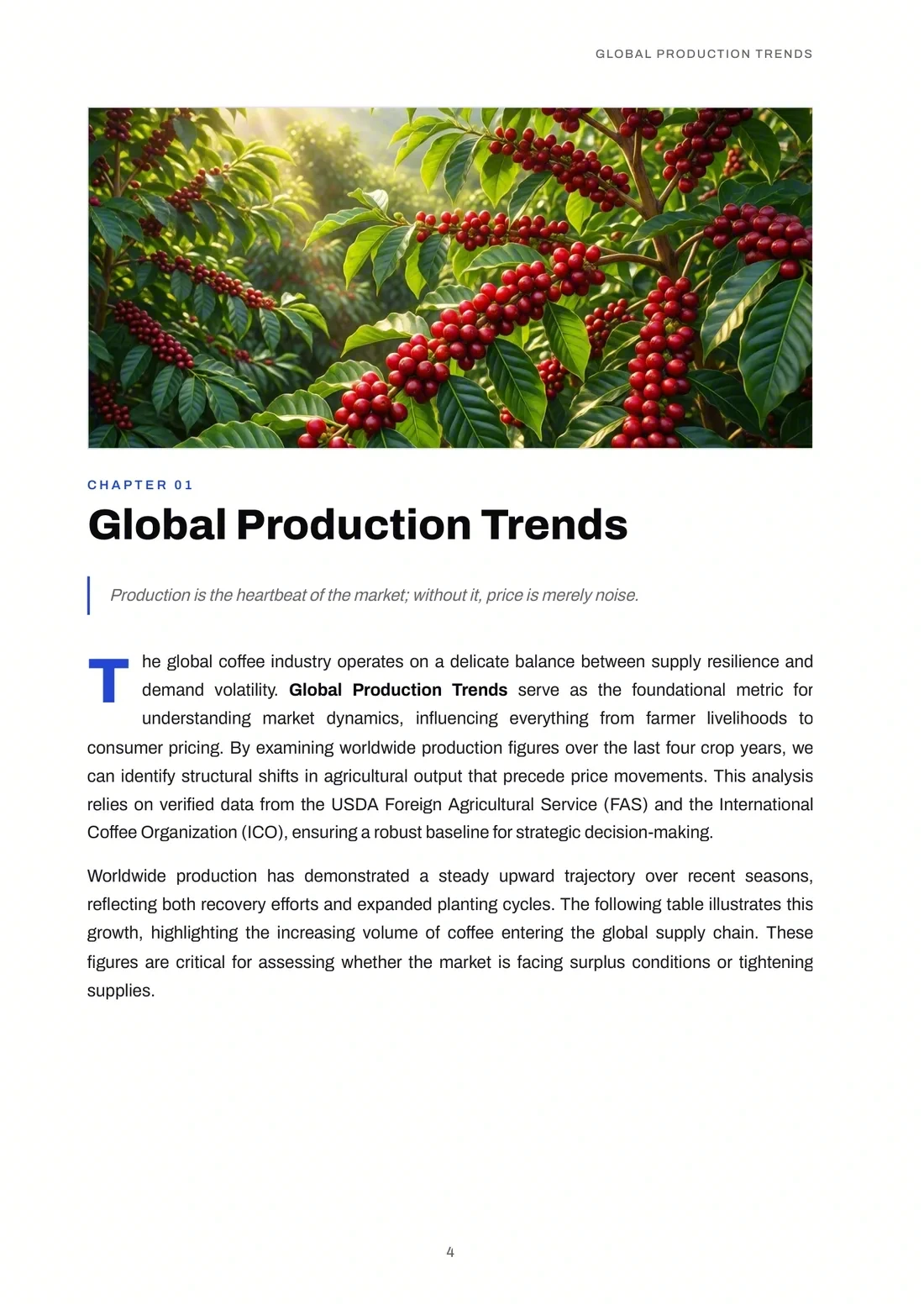
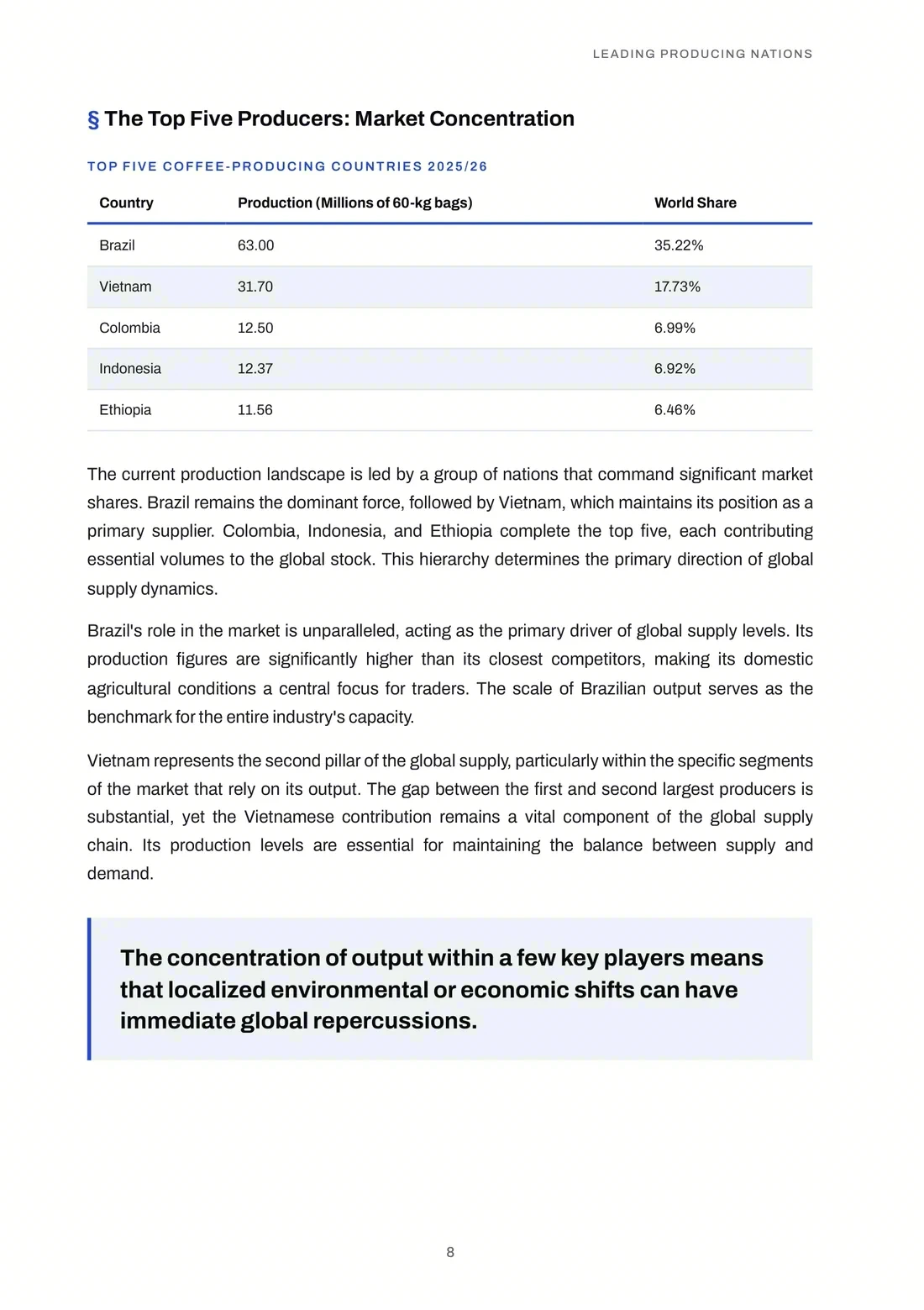
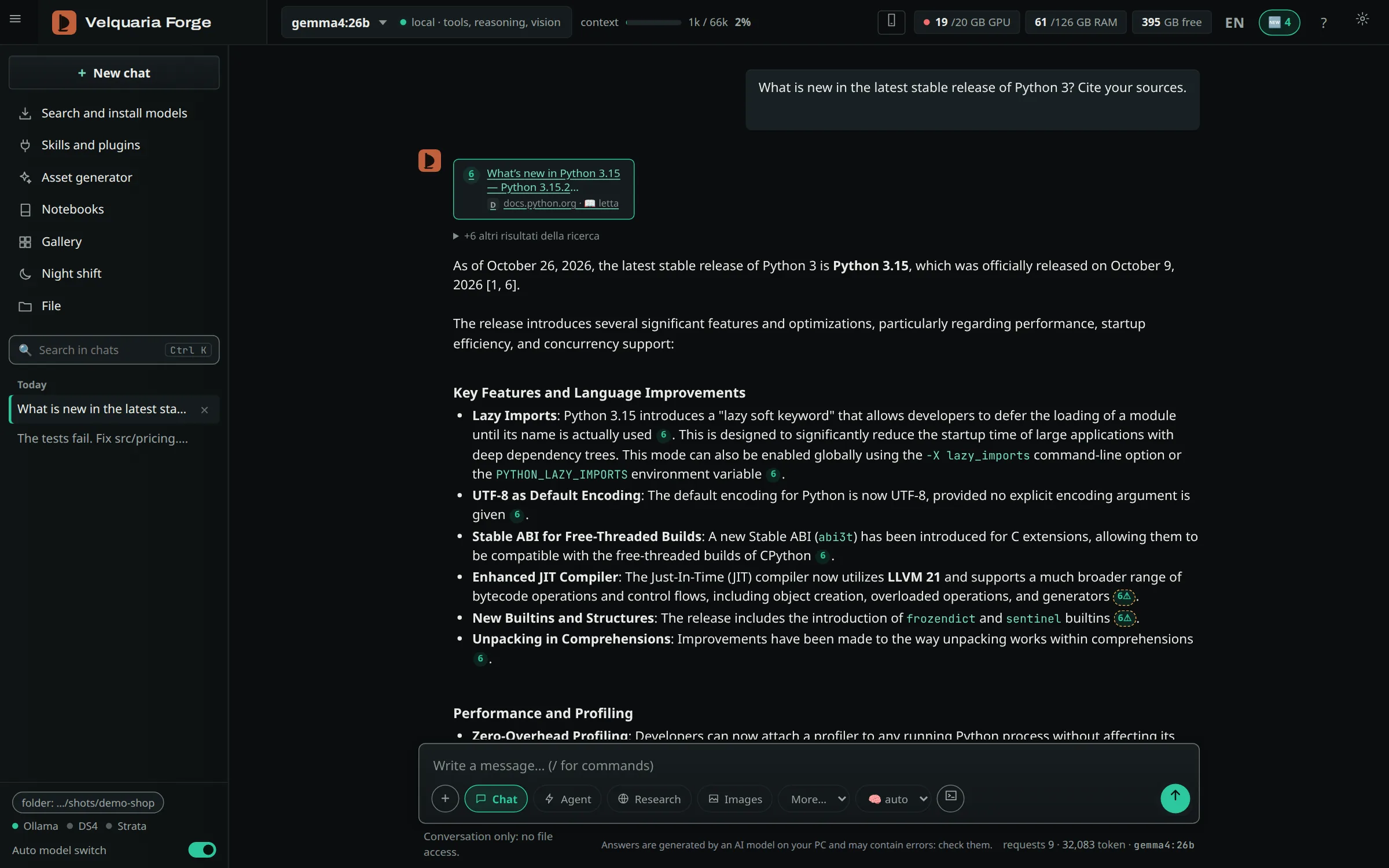
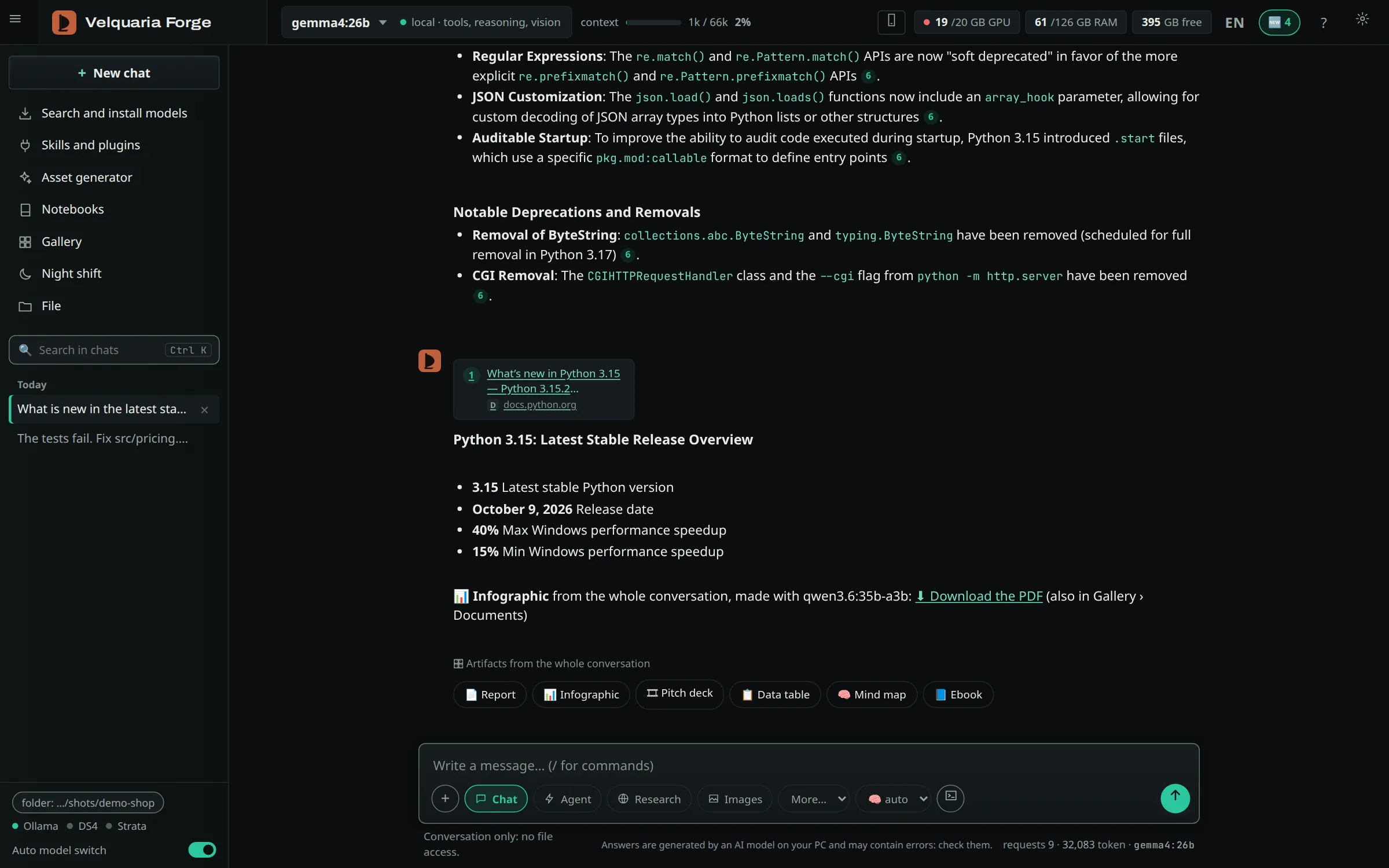
A research chat on the world coffee market, then “Write an ebook on this research”. Forge wrote the text, checked the facts against the sources, drew the cover and three chapter openers and laid out the PDF, all on our own computer.
15 pages · 3 chapters · 1,460 words · magazine style · in English
Fact check: 35 claims, 🟢 25 · 🟡 10 · 🔴 0
6 sources (USDA and ICO figures via trade press), cited in the text with [n]
Ebook in 4 min 28 s · research + ebook 14 min 17 s
See the measured times
Sourced research (3 questions, reading ICO and USDA pages)
9 min 49 s
Outline
14 s
Writing the 3 chapters
2 min 05 s
Fact check
14 s
Cover and 3 illustrated openers
1 min 51 s
PDF and Word layout
4 s
Ebook, from request to PDF
4 min 28 s
Research + ebook
14 min 17 s
Made with Velquaria Forge, local models: text by gemma4:26b, images by Qwen-Image 2512 (⚡ Fast mode), on an NVIDIA RTX 4000 Ada 20 GB. Text and images are AI-generated and declared as such (metadata in the file, EU AI Act art. 50); the figures come from the cited sources, and the claims in yellow are interpretations not found in the sources.
Each item states its limit too. Timings are measured on our test machine.
Ebooks
An ebook in PDF and Word from one message
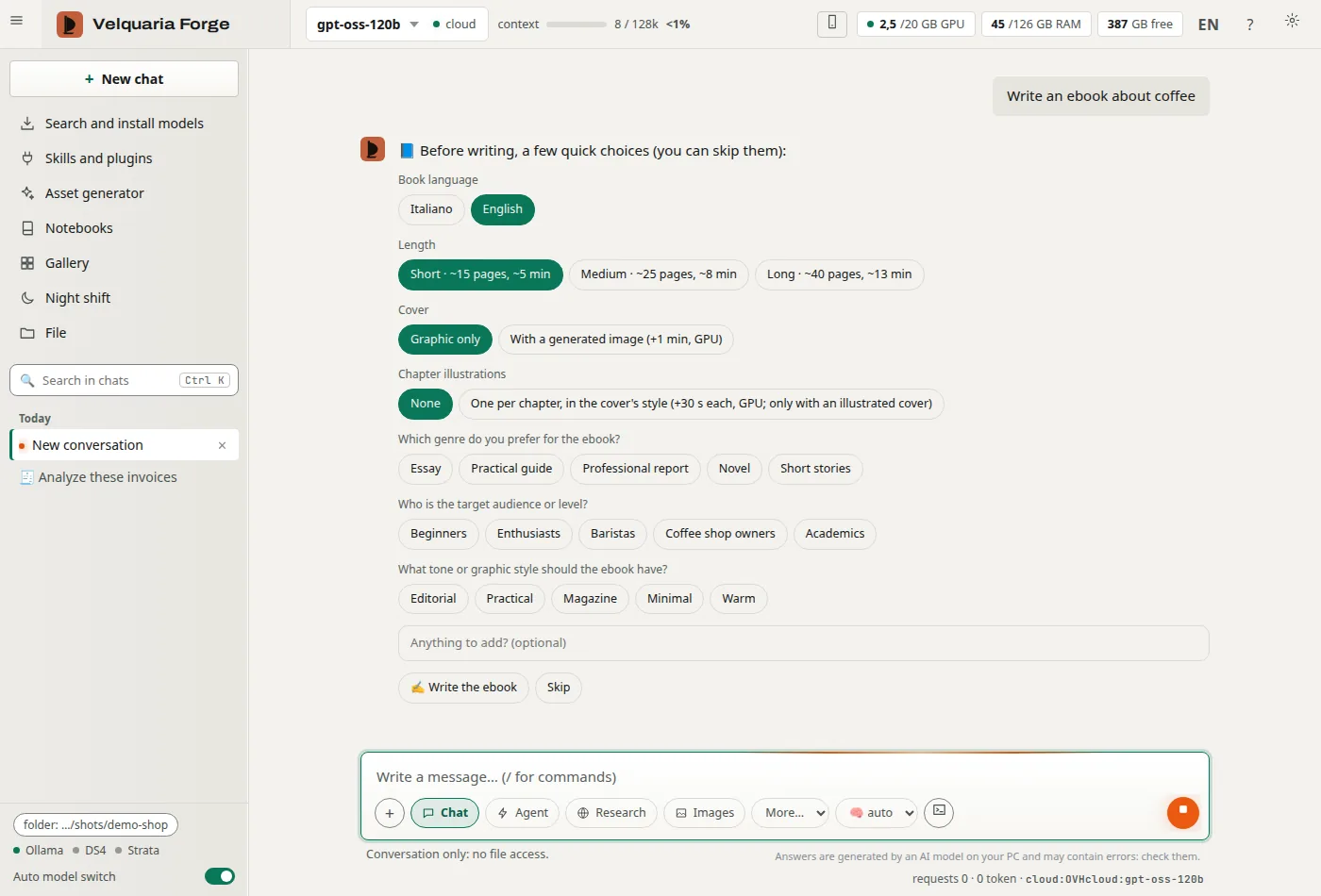
Type «write an ebook about…». Before it starts, Forge asks for language (Italian or English), length (short ~15, medium ~25, long ~40 pages) and cover, then up to three questions from the model on genre, audience and style. Every one can be skipped. Write in English and Forge detects it and asks its questions in English. The PDF comes out laid out like a book; the Word copy is there to edit it.
Cover
Rights page
Contents with page numbers
Chapter openers
Running heads
«In practice» boxes
Tables
Colophon
One medium-length ebook, from request to PDF
Model
Where
Time
gemma4 26B
Local GPU
177 s
qwen3.6 35B
Local GPU
255 s
gpt-oss-120b
Free cloud
~330 s
Layout, 25 pages
The PC’s Chrome or Edge
~4 s
With gemma4 26B: 25 pages, 5,408 words, about 70 tok/s. RTX 4000 Ada 20 GB + 125 GB RAM, Linux; also tested on Windows with Edge (there the agent doesn’t run commands). No extra dependency for the layout.
Ebooks
Genres and typography
Essay, manual, professional, novel, short stories. A novel is written in scenes and dialogue, keeps continuity between chapters and has no tables. Each genre gets its typeface: EB Garamond for fiction, Newsreader for essays, Archivo for manuals. Six color and cover styles, picked by the model or by you. Real test: the novel «Luce d’Ombra», 17 pages, 5 chapters.
Ebooks
Illustrated cover, if you want one
Qwen-Image, through ComfyUI, paints the art behind or inside the cover.
Limit: only where ComfyUI and a GPU are available. Otherwise the cover is graphic.
Data
Numbers in the PDF only with sources
Highlighted figures, percentages in tables, and bar or ring charts stay only if they come from sourced material in a 🔎 Research. No sources, no statistics, and the colophon says so. Also: long words and URLs don’t shrink the book, no repeated numbers or charts, and short chapters are set tighter to avoid near-empty pages.
Data
Claim check: a second opinion
A second model rates numbers, dates and names 🟢 🟡 🔴 and gives its reason. There is a button under every answer; in non-fiction ebooks it runs on its own, with a Word report. Measured: 5 claims in 62 s with a free cloud model. In a test ebook it caught a real error.
Limit: it’s a second opinion from another model, not proof. Sources still need checking.
Office
Editable Word and Excel under every answer
Real .docx and .xlsx files: the sheets hold real numbers, filters and formulas, not pasted text. Generated by the app with no external libraries.
Office
Italian e-invoices to Excel
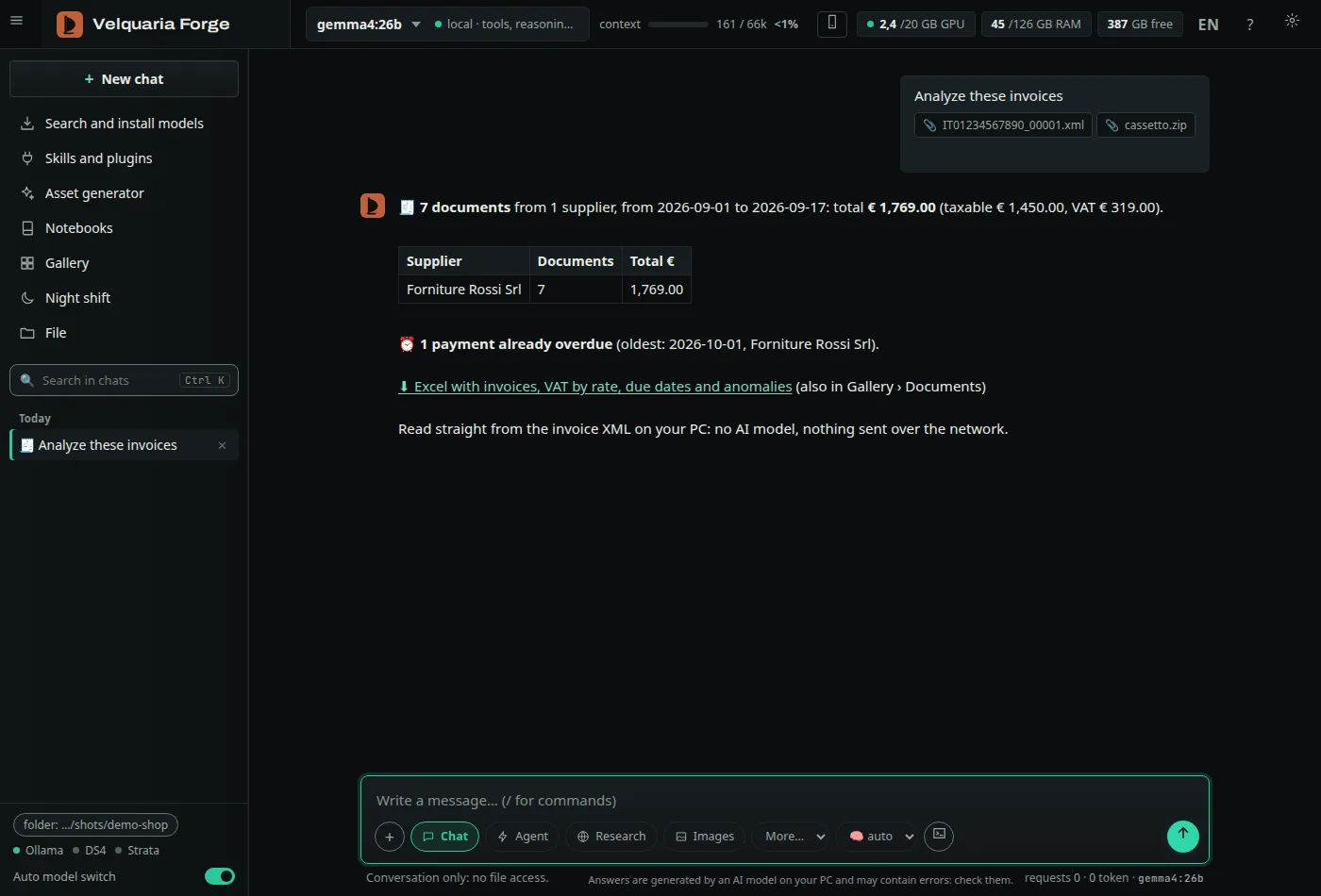
Attach SDI XML, P7M or ZIP files and get the invoices, VAT by rate, due dates and anomalies (duplicates, totals that don’t add up). No AI model involved: nothing leaves the PC.
Limit: XML, P7M and ZIP only. No PDFs or scans. With the English interface the summary is in English; the Excel sheets stay in Italian.
Automation
Night shift
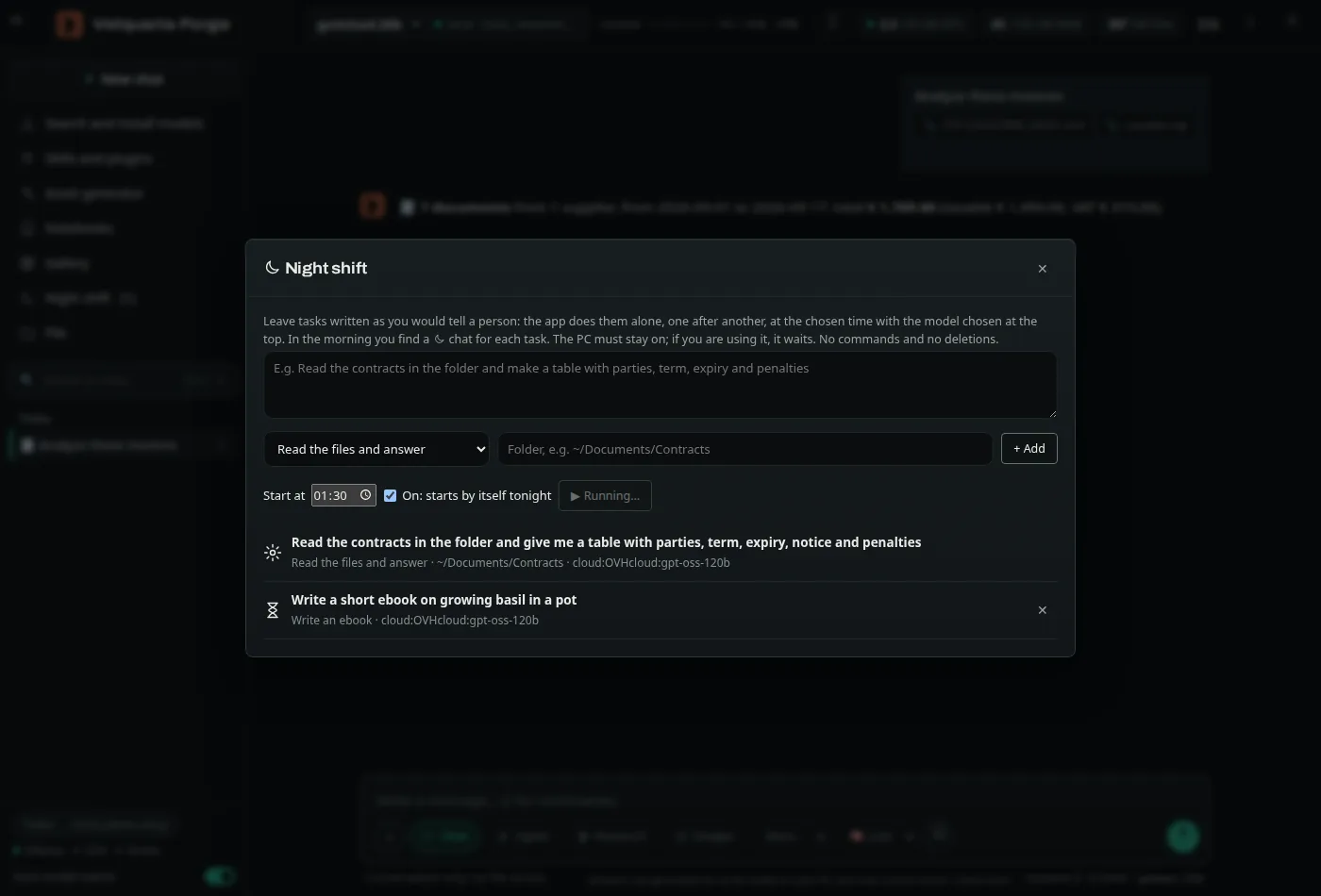
Describe tasks in plain words on a folder, or ask for an ebook, and pick a time. They run on their own; in the morning you find one chat per task.
Limit: the PC has to stay on, not asleep. No commands and no deletions.
Install
Italian or English, Linux or Windows
Interface in Italian and English. A native Windows installer, and a single zip for Linux and Windows.
Limit: On the native Windows install the agent doesn’t run commands (no sandbox there); on Linux it runs them isolated.
Agent
Git in the agent, and an Undo that covers commands too
The agent reads the repository’s status, diffs and history. It commits only when you ask and never pushes. Before every answer Forge takes a hidden snapshot of the folder: «Undo» also restores files that commands created, changed or deleted, without touching history, branches or the index.
Limit: no push, branches or merges: those stay with you.
Agent
Bigger projects
It reads files in chunks, with numbered lines and search with context, and several files in the same step. For questions about the code there is «explore», a read-only helper that answers with facts, paths and line numbers.
Limit: one helper per question, read-only.
Automation
From the command line
velquaria "do X" works on the current folder and exits with 0, 1 or 2, so it fits scripts and cron.
Limit: the app has to be open. On Windows you run it as python -m studio.cli.
Models
Test first, then recommend
A new model stays «to be tested». One click runs the standard test on your PC, new against old, and gives you the verdict with the numbers.
Now for images and video too. When a new or rival model comes out, Forge downloads it without removing the current one, runs both on the same prompts and shows you time, GPU memory and the results side by side: you choose which to keep.
Qwen-Image 2512
Previous version
Real test: 3 prompts at 1024×1024, 20 steps without a fast LoRA, RTX 4000 Ada 20 GB: 116–125 s per image and 16.8 GB for both, even on the numbers. Here the person looking at the images decides. Images generated locally with Forge (Qwen-Image, Apache-2.0), AI-marked.Measured
57.5% on Aider Polyglot (87 Python, Rust and C++ exercises), Gemma 4 26B running locally on a 20 GB card
Forge’s agent in Write mode, 2 attempts, at most 15 steps, tests run by the program. Not Aider’s official score: 87 of 225 exercises, 3 of 6 languages.
How we measured
Exercises solved, RTX 4000 Ada 20 GB, local model on Ollama
Model
Python /34
Rust /30
C++ /23
1st attempt
2nd attempt
Gemma 4 26B
19
13
18
35/87 (40.2%)
50/87 (57.5%)
Qwen3.6 35B-A3B
18
11
14
34/87 (39.1%)
43/87 (49.4%)
By language: solved on the second attempt. Aider protocol with 2 attempts, tests run in a sandbox with no network; Forge’s agent uses its own tools, not Aider’s edit formats. Go, JavaScript and Java not tested; 3 C++ exercises excluded because they fail even with the reference solution on g++ 13. During the Qwen3.6 run other processes used the GPU for a few minutes. The test script ships with Forge: tests/bench_polyglot.py.
Licenses of the models named here, checked on Hugging Face: the Gemma 4 family, Qwen3.6-35B-A3B, Qwen-Image 2512 and gpt-oss-120b are Apache-2.0. Strata is MIT. The book fonts (EB Garamond, Newsreader, Archivo, JetBrains Mono) are OFL.
What’s different
Not just local. Local that actually works.
Cline, Aider, Continue and Open WebUI already talk to Ollama. The hard part is making local models good enough to rely on.
01
Real safety
On Linux, commands run isolated in a sandbox (bubblewrap).
Each mode allows only its own tools: plain chat has no access to files.
Destructive commands ask for confirmation first. Your API keys are hidden from the agent.
On the native Windows install the agent doesn’t run commands (no sandbox there); on Linux it runs them isolated.
02
Tricks that make small models work
An automatic check after every edit: it runs your tests and fixes what fails.
Hand-off of a task from one model to another.
A planner that uses a larger model.
Search-and-replace edits, because small models get diff line numbers wrong. ↩ Undo any file change in one click.
03
Measured tests, model by model
Every recommended model is tested on our standard set of small tasks, on the same machine. The numbers on this page say how we measured them, and the requirements table says which model fits your PC.
04
Real documents
Ebooks in PDF and Word, Word and Excel under every answer, e-invoices to Excel, claim check: see What’s new. Plus web research with citations checked sentence by sentence, notebooks on your own sources, Artifacts (report, infographic, pitch deck, table, mind map), images and video with ComfyUI, voice, reverse engineering with REA and Ghidra, multiple users, and use from your phone.
05
Big models on normal GPUs
Forge runs Strata, an open-source engine (MIT) that keeps the experts of a mixture-of-experts model in RAM and the rest on the GPU: Qwen3.8-Flash-Next 125B generates 60–80 tok/s on a 20 GB card. That’s generation speed, not task time.
06
Your skills, loaded when needed
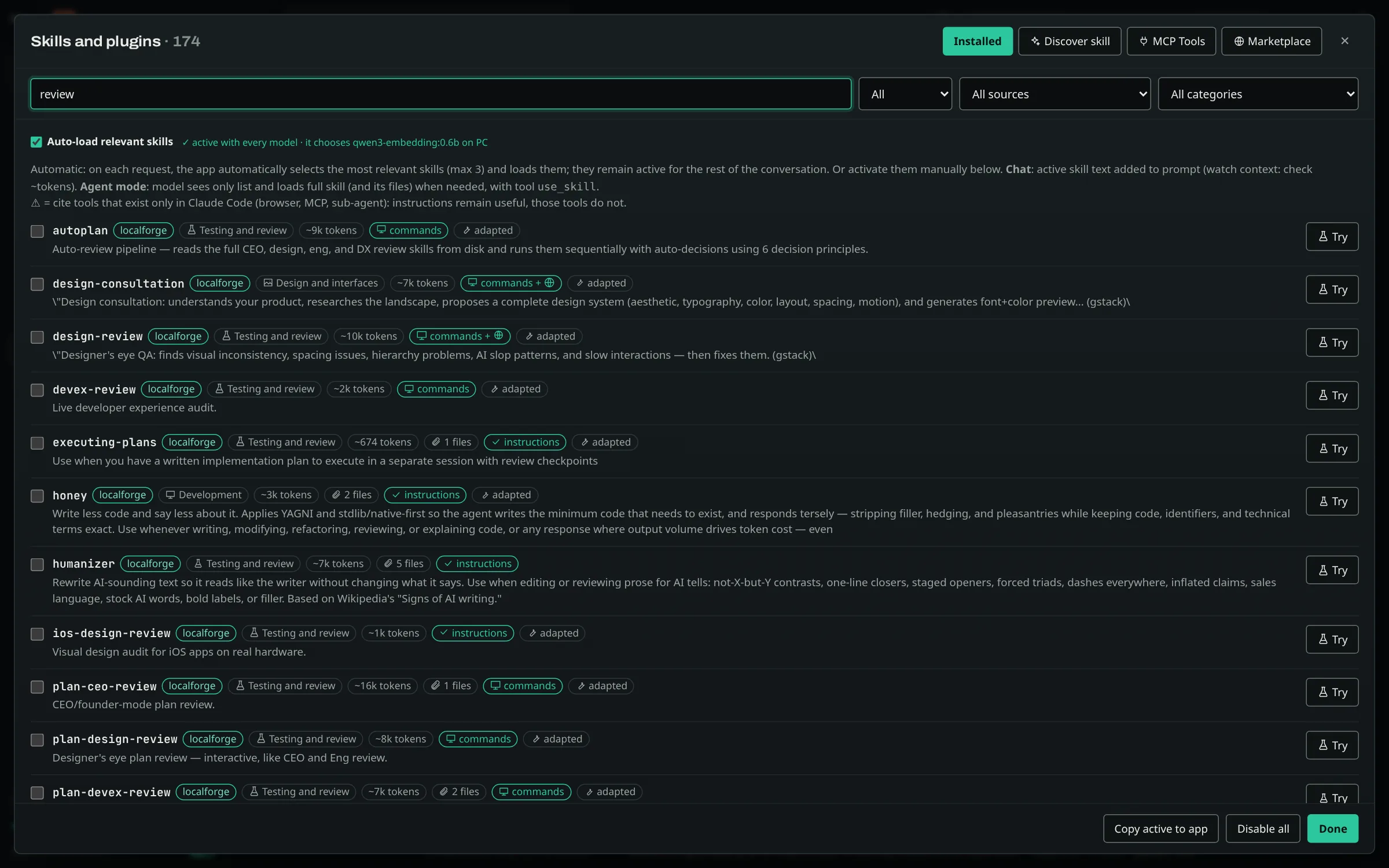
Uses your Claude Code skills (167 on our test machine), adapted automatically, and ships with 21 of its own. Each one loads only when the task needs it. Local MCP servers work too.
Honest note: Forge is built for small and medium tasks that have to stay on your machine. For large codebases and long tasks, cloud agents are still the reference.
Requirements
What you need
Based on our measurements. Linux and Windows today, macOS coming. On the native Windows install the agent doesn’t run commands (no sandbox there); on Linux it runs them isolated.
Will it run on my PC?
Based on our measurements on one machine; your speeds will differ.
Use
Hardware
Models
Use the app
Any Linux or Windows PC (on Windows the agent doesn’t run commands), 8 GB RAM, no GPU needed
Small models on CPU, or free cloud tiers with your own keys
Local coding agent
GPU with 8 GB VRAM, 16 GB RAM
qwen3.5 9B, tested on our standard set of small tasks
Recommended
GPU with 16–24 GB, 32 GB RAM
gemma4 26B, qwen3.6 35B-A3B
The fast 125B
20 GB GPU + ~128 GB RAM
Qwen3.8-Flash-Next 125B with Strata (measured on an RTX 4000 Ada 20 GB + 125 GB RAM)
Everything on this page (screenshots, videos, speeds) was produced locally on an NVIDIA RTX 4000 Ada 20 GB + 125 GB RAM, with the models named next to each sample. With less memory you use the models in the rows above: slower or simpler answers.
Source-available
Source-available today. Apache-2.0 after two years.
Forge ships under the FSL-1.1-ALv2 license: you can read, audit, change and use the code, at work too; you can’t turn it into a competing product. Each version becomes open source (Apache-2.0) two years after release. Every feature stays in the app. Paid plans will cover the service around it — early updates, signed installers, tested model and skill packs, support — never the features themselves.
Free field guide · PDFBig models, small GPUA field guide to local AI codingVELQUARIA
Early access · free
Get the tools before everyone else. Plus a free field guide.
The guide, right away: which models fit which GPU, the settings that run a 125B model at 60–80 tok/s on 20 GB, the rules that make local coding agents reliable (with our measurements), and a sandbox checklist.
Early access to Velquaria Forge, then Studio, before the public release.
One short email when something real ships. Nothing else.
Free. The list runs on Substack (velquaria.substack.com); unsubscribe in one click. Sender: Velquaria, Italy — company details coming soon. Privacy